-
Travel help and support
We've organized our most searched topics to help you manage your trip, plan ahead, and get the support you need.
-
-
Get Travel Ready
We put together a one stop shop to help you prepare for your upcoming trip. From entry requirements, baggage, and helpful travel tips!
-
Find out what you can bring and what fees apply before you fly. Learn more about carry-on, checked, and special items.
Know what to expect when flying with little ones, including seating, baggage, and required documents.
Find everything you need to know about flying with your pet, from kennels to fees.
-
Change or cancel your trip
Check in for your flight, select seats, change or cancel your trip, and view your itinerary all in one place.

-
See what’s included with flexible policies and when change or cancel fees apply.
Explore seat types, fees, and how to add or upgrade your seat.
Learn about services designed to make travel easier for guests with accessibility needs.
-
Discovery your on-board experience
Check Wi-Fi availability, meal, entertainment options, and more for your specific flight.

-
Prepare for your flight with info on check-in times, baggage drop, and boarding times.
Find terminal maps, gates, and service information.
Check your flights departure, arrival, and gate information in real time.
Report lost, delayed, or damaged baggage and track your claim
Learn what you’re entitled to if your flight is delayed, cancelled, or denied boarding.
Whether we went above and beyond or if there is room to improve, we’d love to hear from you.
-
Additional support
From questions about seats, travel bank, companion vouchers, discount codes, and technical and browser help.
-
Seat selection
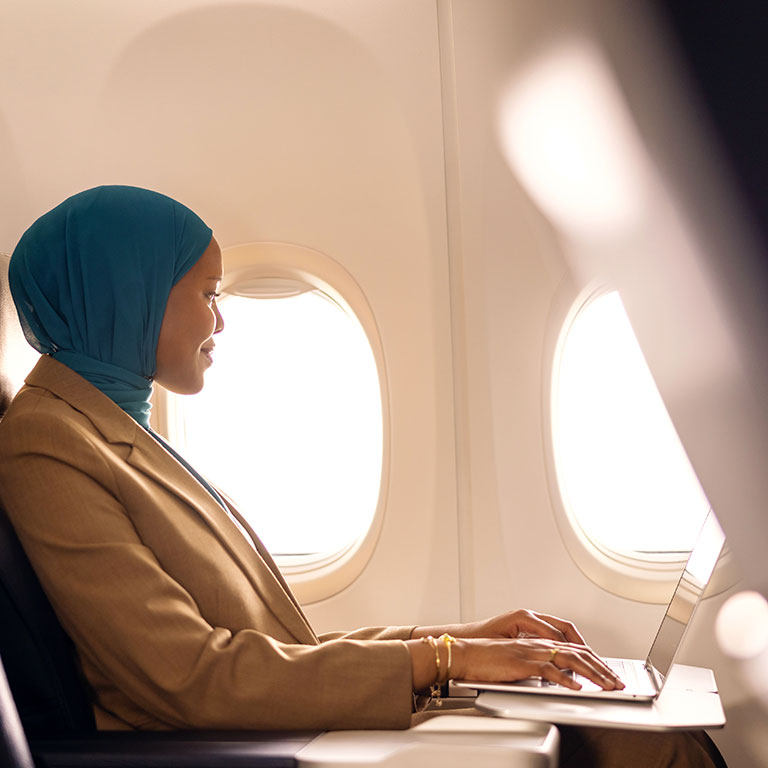
You can choose your seat during the booking flow or in the WestJet App.
Already booked? Sign in to Manage Trips with your reservation code and last name to select or change your seat any time before check-in.
- Ensure you sit with your travel partner or family.
- Secure your preferred seat type (window, aisle, extra legroom).
- Avoid last-minute auto-assignment at check-in.
- Fees vary by seat type, fare, and flight segment.
- Included with Business, Premium and EconoFlex fares.
- Silver, Gold, and Platinum Rewards members may use complimentary vouchers.
Travel Bank credits
- At booking: can be applied to flights and seat selection.
- After booking: contact us by phone.
- At the airport: can be used when checking in with an agent.
WestJet points
- At booking: redeem towards flights and seats (minimum redemption applies).
- After booking: use Manage Trips for 50% or 100% of seat cost.
- At check-in: redeem full seat fee with points
- At the airport: not available.
Seat fees are usually non-refundable
- Seat fees are not refundable within 24 hours of departure or for seats purchased at check-in.
- If you cancel your flight, refunds apply only when you cancel your entire booking more than two hours before depature. Seat fees are not refundable for UltraBasic fares.
- If WestJet cancels your flight and you choose not to fly on the rebooked flight, seat fees will be refunded to the original form of payment, including UltraBasic fares.
- Enter the child’s date of birth when booking so we can help seat families travelling with children under 14 together. If seats aren’t selected during a new booking or flight change, we’ll automatically assign them at no extra charge whenever possible.
Seating rules:
- Under 5: must sit next to parent/guardian.
- Ages 5-11: must be in the same row, no more than one seat away.
- Ages 12-13: must be within one row.
We do our best to seat you in an appropriate area based on your needs, fare, and availability.
To view seating recommendations and how to request specific seating visit seating accommodations.
Exit Row seats have added legroom but come with safety requirements. To sit here you must:
- Be 16+ and able-bodied.
- Speak English or French.
- Not use mobility aids, oxygen, or seatbelt extenders.
- Not be travelling with an animal or dependent.
- Crew may reassign your seat if you do not meet these requirements.
To select a seat or add seats to your booking, visit Manage my vacations or contact WestJet Vacations between the hours of 6 a.m. and 10 p.m. MT.
Sunwing Vacations guests travelling on or after May 29, 2025, will travel on WestJet aircraft. For details, view seat selection options and pricing.
Vacances WestJet Québec guests travelling on or after May 29, 2025, will travel on WestJet aircraft. For details, view seat selection options and pricing.
Travel bank credits
Travel Bank is a secure, easy-to-use account where you save credits from non-refundable ticket changes, cancellations, or service credits.
- Works like store credit for WestJet flights.
- Credits can be applied to future bookings, excluding WestJet Vacations and some service fees.
- 1 credit = 1 CAD, USD or GBP (depending on your address)
- Apply toward the cost of a flight, with no blackout dates
- 12 month expiry for credits from change/cancel
OVERVIEW
- A WestJet Rewards account is required.
- Your Travel Bank is linked to your WestJet Rewards ID.
- Sign in anytime to view your balance.
- When you cancel online or with an agent: credits appear immediately.
- Flight cancelled by WestJet: credit usually appears right away. If not, please contact us.
- Credits are ready to use as soon as they show in your account.
- Credits expire 12 months from the date of issue.
- Credits expire at 23:59 CT.
- One-time extension is available for 12 months for a $99-$117 fee (paid by credit card).
- The fee is charged for each eligible Travel Bank credit that is extended. For example, if multiple tickets were cancelled, a separate fee applies to the extension of each individual Travel Bank credit.
- Request an extension by calling our contact centre before expiry.
- Special exception: Premium-cabin credits on “Economy-seats-only" aircraft (before May 15, 2025) cannot be extended.
- Some credits may not qualify for extension.
You can pay with Travel Bank online for new bookings, flight changes, or any ancillary fee (i.e., seats, bags, pet) through our contact centre, or at the airport
Booking online:
- Sign in to your WestJet Rewards account
- Select flights and continue to payment.
- Choose to apply all or part of your balance.
- Any remaining cost can be paid by credit card.
- Cannot be used to pay for travel insurance
- You can use your credits to book travel for another guest.
- Sign in to your account, select flights, and enter the traveler's details.
- At payment, apply your Travel Bank credit to their booking.
Travel Bank credits are non-transferable, but you can still use them to book for someone else
WestJet Travel Bank credits posted for sale on any online classified website may not be valid or may become invalid at a later date. WestJet is only able to verify if a Travel Bank credit is currently available. Flight bookings and Travel Bank credit purchased with a stolen card or in some other unauthorized fashion will be revoked or cancelled immediately without notice or reimbursement.
WestJet is not involved in any private transaction resulting from an advertisement on an online classified web site. WestJet does not handle the payment, guarantee transactions, offer buyer protection or seller certification for these advertisements. WestJet will not be liable for the loss of funds resulting from a fraudulent transaction.
Companion vouchers
Redeeming your voucher
- Sign in to your WestJet Rewards account
- Select the Companion voucher checkbox. Companion vouchers can’t be combined with discount codes
- Search for your flight(s) *All flights must be flown and operated by WestJet and not include a partner airline.
- Enter travel details for you and your companion, then review your trip
- Confirm the voucher is applied in the Payment summary and pay the remaining balance with WestJet points, Travel Bank credits, gift card, or payment card.
When you’ll receive your voucher
- Earned vouchers are automatically added to your WestJet Rewards account.
- If offered as part of a milestone award options, sign in and select it before it’s deposited.
- WestJet RBC® World Elite Mastercard‡ and WestJet RBC® Mastercard‡ cardholders and you receive an annual World Elite Companion voucher or credit card companion voucher:
- Vouchers are added 4–6 weeks after your first purchase, or
- 30 days after each annual renewal
- You may also receive an email notification once it’s available.
Change/Cancel
- You can change or cancel your booking online in Manage Trips – fare rules apply. * Ultrabasic is not eligible to change/cancel.
- If you change or cancel your flight, and the companion voucher used for the booking has already passed its original expiry date, it cannot be applied to a new flight.
Discount Codes
Discount codes are valid for new bookings only. They cannot be applied to flights you’ve already booked.
Common reasons a code may be invalid:
- It cannot be combined with other offers.
- Confirm you have the correct sale details and blackout dates on our Deals and Offers page.
- Entered incorrectly (0 vs O, 1 vs I).
- Expired or already used.
- Limited to one booking per guest.
Codes apply only to WestJet flown and operated flights. They cannot be used for WestJet Vacations, group bookings, or partner airlines.
You can use WestJet points along with a discount code. Apply the code first, then redeem points at checkout.
Minimum redemption rates may apply when using WestJet points.
- You can apply the discount code during the first step of your flight search.
- In the second step, a banner will confirm that your promo code has been applied, and flights included in the promotion will be highlighted in the search results.
- Your discount code will appear in the payment summary before you complete your booking.
Unlimited use coupon codes
- Expire at 11:59 p.m. MT on the date listed.
- Lost or invalid codes cannot be retrieved or reused.
Limited use coupon codes
- Expire once the maximum number of uses has been reached.
- Example: If a discount code is limited to 100 uses and all 100 have already been redeemed by the time you check out, the discount will no longer apply.
Some offers have blackout dates or other conditions. Always check the offer details before booking.
Example:
If your trip overlaps with a blackout period (e.g. Dec 20th – 30th) and you book Dec 19th – 20th , the discount may not apply.
If you change or cancel a flight, the discount code is no longer valid.
You can change or cancel your booking in Manage Trips.
Technical and browser help
Having trouble booking online?
- Upgrade your browser and try again.
- If issues persist, check sign-in issues or booking timeouts.
No confirmation email received?
- Our reservation system sends confirmation emails within minutes.
- Ensure your email address is correct and the email option is selected.
- If not received within one hour, contact us.
A few reasons:
- Incorrect profile ID or password.
- Browser doesn’t support secure connections.
- Cookies not enabled.
- Using cached pages or outdated browser
- Refresh your browser or use Ctrl + F5 for Internet Explorer.
Forgot your password?
- Use the Trouble Signing In page.
Your email software may not be configured correctly.
Contact your system or email vendor for assistance.
- May occur if your PC security settings are high or a firewall blocks cookies.
- Sessions expire after 15 minutes of inactivity.
- Ensure you click Purchase Now to confirm your reservation.
Connect with a live agent
Our live chat agents are available to help with general inquiries seven days a week.
If you want to change or cancel your flight and you booked through a Travel Agent (online or directly), third-party like Expedia or Airmiles, Corporate Travel arranger, or another airline, please contact them directly.

Our live chat agents can help with:
- Change or update a name on an existing booking
- Baggage allowance
- Prepare for your trip (check in options, flight status, find a reservation code, flight itinerary or receipt)
- Wheelchair assistance
- Cancelling a flight
Hours of operation:
- English: 6 a.m. MT – 8 p.m. MT
- French: 6 a.m. MT – 6 p.m MT
- Japanese and Korean: 6 a.m. MT – 10 p.m. MT
Before you start the chat:
If you choose to close the chat panel or your browser, you will have to start over to establish your place at the back of the queue.